![MicrosoftTeams-image (28).png]](https://27075283.hs-sites-eu1.com/hs-fs/hubfs/MicrosoftTeams-image%20(28).png?width=85&height=85&name=MicrosoftTeams-image%20(28).png)
There are two ways to verify if a last-minute appointment has been successfully taken.
1. Confirmation email in the front desk mailbox
When a patient accepts a last-minute appointment:
-
you automatically receive a confirmation email in the front desk mailbox
-
this email also contains the patient details of the person who booked the appointment
➡️ If you receive this email, the last-minute appointment has been successfully booked.
2. Check in the TurnUp application
You can also verify this directly in TurnUp:
-
Go to the TurnUp application
-
Open the Last-Minute module
-
Go to the Taken tab
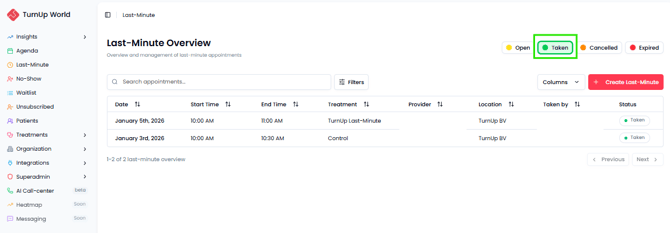
If the appointment appears in this tab:
➡️ The last-minute appointment has been successfully booked.
If you click on the appointment, you will see:
-
which patients were invited
-
which patient booked the appointment (highlighted in green)