
Below, we explain how to unsubscribe, what the consequences are, and how you can subscribe again.
🔕What happens if I unsubscribe from notifications?
When you unsubscribe from TurnUp notifications, you will no longer receive communications such as:
-
appointment reminders
-
last-minute invitations
-
other updates or notifications
This applies to email, SMS, and app notifications.
⚙️ How can I unsubscribe from notifications?
1. Via a TurnUp email
-
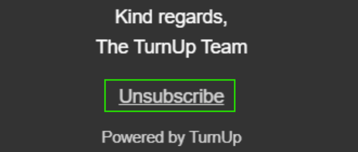
At the bottom of every TurnUp email, you will find an unsubscribe link.
-
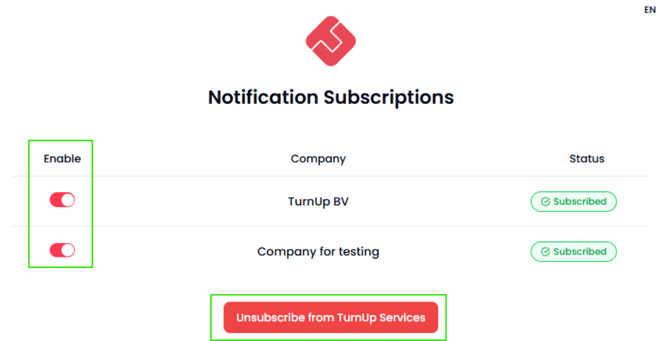
When you click this link, you will be taken to an overview page showing how many practices you currently receive TurnUp notifications from.
-
There, you can choose which notifications you want to unsubscribe from.
-
If you select “Unsubscribe from TurnUp Services” at the bottom of the page, you will no longer receive notifications from practices and you will also stop receiving general TurnUp communications (such as birthday emails).
2. Via your practice
-
Your dental practice can, at your request, manually unsubscribe you from TurnUp notifications that are specifically linked to their practice.
🔄 How can I subscribe again?
If you have unsubscribed from TurnUp notifications, neither you nor your practice can re-enable them. To do so, TurnUp Support must be contacted.
ℹ️ Good to know
-
Unsubscribing has no impact on your existing appointments
-
You can always choose not to receive notifications
-
Without notifications, you may miss last-minute appointments and reminders