![MicrosoftTeams-image (28).png]](https://27075283.hs-sites-eu1.com/hs-fs/hubfs/MicrosoftTeams-image%20(28).png?width=85&height=85&name=MicrosoftTeams-image%20(28).png)
⚙️ How to clean up your waitlist
-
Go to TurnUp World and log in using your personal account credentials.
-
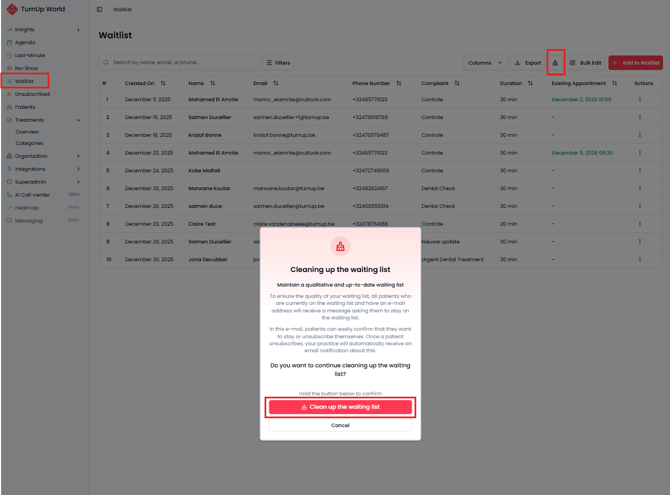
Navigate to the Waitlist module.
-
Click the brush icon at the top of the screen.
-
A pop-up opens that allows you to start the waitlist clean-up process.
🧹How does the clean-up work?
-
Patients who currently have one or more waitlist items and a valid email address will receive an email asking them whether they want to remain on the waitlist.
-
Patients can:
-
Confirm they want to stay on the waitlist, or
-
Unsubscribe themselves easily.
-
-
When a patient unsubscribes:
-
Your practice receives a notification.
-
The patient is moved to the Unsubscribed module.
-
✅ What are the benefits?
- Your waitlist stays relevant and up to date, with only patients who are interested in your last-minute appointments.
- Last-minute appointments are offered to the interested patients, resulting in a higher success rate and fewer empty slots in your agenda.